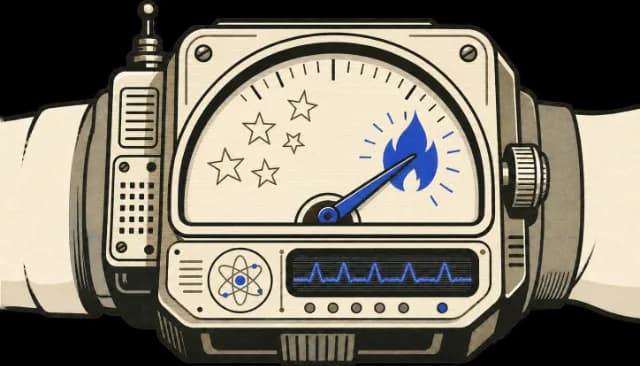
Traction scoreGitHub stars can be faked, so popularity alone can be misleading. Traction Score looks for broader signs of recent attention, adoption, and active maintenance.
An opinionated development workflow that asks for a design before writing code, then moves through planning, test-driven implementation, and review. The process is the point.
WHO IT'S FOR
AI agent / automation builders
implementing subagent-driven development workflows
Compatible AgentsThe repository documents support for these agents. The skills may also work with other agents that can load SKILL.md files, but they may need some setup or small changes.
Installs: The complete Superpowers plugin bundle from the repository URL. Kimi Code uses the latest GitHub release when one exists. Listed paths are a starter-task selection. · Kimi Code
Enter this command in a Kimi Code session to install Superpowers from the repository.
Installs: The complete Superpowers plugin bundle; OpenCode's plugin manager installs it and registers all skills. Listed paths are a starter-task selection. · OpenCode
Before you start
OpenCode V1
Use the documented V1 plugin configuration: {"plugin": ["superpowers@git+https://github.com/obra/superpowers.git"]}. This is configuration, not a terminal or agent-session command.
Restart OpenCode to let its plugin manager install the plugin and register all skills.
Installs: The complete Superpowers plugin bundle; OpenCode's plugin manager installs it and registers all skills. Listed paths are a starter-task selection. · OpenCode
Before you start
OpenCode V2 version 2.0.4 or later
Use the documented V2 plugin configuration: {"plugins": ["superpowers@git+https://github.com/obra/superpowers.git"]}. This is configuration, not a terminal or agent-session command.
Restart OpenCode to let its plugin manager install the plugin and register all skills.
One failing test or error, including its full output and stack trace when available
Make sure systematic-debugging is installed in your agent before trying this task.
Use the systematic-debugging skill to begin investigating one failing test or error in this project. Read the full error message and stack trace, identify relevant file paths, line numbers, and error codes, and summarize the evidence and what remains unknown before proposing any fix.
Any applicable requirements or prior architectural decisions
Make sure receiving-code-review is installed in your agent before trying this task.
Use the receiving-code-review skill to evaluate one review suggestion against this codebase before changing anything. Restate the requirement, check whether it is technically sound and preserves existing behavior, and give an evidence-based assessment or ask for clarification if the suggestion is unclear.
The project's documented verification command or enough project context to identify it
A configured environment capable of running that check
Make sure verification-before-completion is installed in your agent before trying this task.
Use the verification-before-completion skill to check one claim about my current change, such as whether its tests pass or its build succeeds. Identify the full verification command, run it fresh, inspect the complete output and exit code, and report only the status supported by that evidence. Stop after reporting.
 Claude
 Codex
 Cursor
 Gemini CLI
 Copilot
 OpenCode
 Hermes
 Antigravity
 Grok
 Devin
 Qwen Code
 Kimi Code
 Factory Droid